Conversations AI Guide
DFM's Conversations puts every customer message — SMS, email, Facebook, Instagram, web chat, WhatsApp, and phone calls — into one shared inbox, with AI to help you respond 24/7.
What is Conversations?
Conversations is your hub for managing all customer messages — email, Facebook, Instagram, SMS, web chat, WhatsApp, and phone calls — in a single inbox. Your team can view and respond collaboratively without switching between platforms.
What is Conversations AI?
Conversations AI adds an AI Receptionist to your inbox that can capture leads, answer customer questions, and handle phone calls automatically, 24/7. It instantly replies to website chats, SMS, and WhatsApp, answers incoming calls (Premium), and handles routine questions pre and post sale.
Channels, Features & Plans
| Channel | What It Does | Plan | Availability |
|---|---|---|---|
| Send and receive customer emails in Conversations | All plans | US, Canada & Global | |
| Facebook Messenger | Manage Facebook Page conversations | All plans | US, Canada & Global |
| Reply to Instagram DMs | All plans | US, Canada & Global | |
| AI Web Chat Widget | Capture leads via website chat, answered by AI | Standard | US, Canada & Global |
| Manage WhatsApp messages manually and with AI | Standard | US, Canada & Global | |
| SMS Messaging | Text customers manually, via automation and AI | Pro | US & Canada only |
| Phone Calls | AI Receptionist answers and responds to calls | Premium | US & Canada only |
Setting Up Conversations
Step 1: Connect Your Channels
Before you can send and receive messages, connect the channels you want to use. Open Conversations, select More, then select Conversation Settings from the dropdown menu.

From here you can configure your web chat widget, email, Facebook, Instagram, and more.

Step 2: Customize Notifications
- Click Notifications in the top-right, then click Settings.
- Scroll down to the Conversations section and choose which notifications to receive. We recommend enabling both new messages and new leads.
- Click Save.
Step 3: Invite Your Team
Invite team members so everyone can view, respond to, and manage messages together. When a teammate sends a message, their profile picture appears next to it.
- Click your profile icon in the top-right corner of the navigation.
- Click Invite Member.
- Enter the teammate's email address and choose their role and permissions.
- Send the invitation.
Frequently Asked Questions
Conversations AI Overview
Conversations AI adds AI receptionist functionality to your inbox. The AI assistant handles incoming communications across multiple channels when you or your team are unavailable — capturing leads, answering questions, booking appointments, and even taking phone calls 24/7.
What Conversations AI Unlocks
Automated assistant that handles calls, messages, and web chat across all channels automatically.
Custom behaviors the AI can perform, like booking appointments or checking availability.
Business information and content the AI references to provide accurate, on-brand answers.
Responds to SMS, WhatsApp, Facebook, Instagram, web chat, email, and phone calls.
AI Receptionist Capabilities
- Voice Calls (Premium): Answers incoming calls, collects caller info, books appointments, transfers to staff.
- SMS & WhatsApp: Responds in multiple languages with relevant business information.
- Facebook & Instagram DMs: Replies to direct messages automatically.
- Web Chat: Handles website visitor questions and captures leads 24/7.
- Email: Auto-responds to inbound emails using your knowledge base.
- Lead Capture: Automatically creates CRM contacts from all channels.
- Appointment Booking: Connects to calendar systems for real-time scheduling.
Plans & Features
| Feature | Standard | Pro | Premium |
|---|---|---|---|
| AI Web Chat | ✓ | ✓ | ✓ |
| WhatsApp / Facebook / Instagram AI | ✓ | ✓ | ✓ |
| Custom AI Capabilities | ✓ | ✓ | ✓ |
| SMS Messaging (US/Canada only) | — | ✓ | ✓ |
| Missed Call Text-Back | — | ✓ | ✓ |
| Voice Call Handling | — | — | ✓ |
| Voice Appointment Booking | — | — | ✓ |
Training Your AI
Select the AI dropdown in the toolbar, then select AI Knowledge Base. From there, add your website, phone number, and business profile.

After adding knowledge, the AI will read the pages and sites provided.

You can also add additional knowledge by selecting Text or File Upload. Supported file types include PDF, DOCX, TXT, CSV, PPTX, XLSX, HTML, Markdown, JSON, and image files (JPG, PNG) — up to 100MB each.
Customizing Your AI's Behavior
Go to Conversations AI Settings > Web Chat Configuration > AI Assistant and find the Additional Instructions field. This is where you control how your AI interacts with visitors.
What You Can Customize
- Tone & Personality: Professional/formal, friendly/casual, technical, or conversational.
- Conversation Flow: Define when to share specific links — booking links, help articles, product pages, or contact forms.
- Qualifying Questions: Add targeted questions to better qualify leads — service area, project details, budget, timeline.
- Contact Collection: Specify whether to ask for phone, email, or both, and in what order. The AI can collect name, phone, email, and full address.
- Localization: Set language preferences — British vs American English, regional terminology, cultural communication styles.
Best Practices for Additional Instructions
- Be specific: Clear, detailed instructions produce better results than vague guidance.
- Use examples: Include example responses or conversation flows when helpful.
- Test and iterate: Start with basic instructions and refine based on actual conversations.
- Keep it focused: Too many instructions can confuse the AI — focus on what matters most.
Frequently Asked Questions
Web Chat Overview
The AI web chat widget captures leads from your website and answers visitor questions 24/7. It requires Conversations AI Standard, Pro, or Premium.
Setup Process
Step 1: Test Before Installing
- Navigate to Conversations AI > Conversations AI Settings.
- Click Try it out today on the Web Chat Widget card — this creates a demo widget on your My Listing page for testing.
- Reload the Conversations AI Settings page to see full configuration options.
Step 2: Configure Web Chat Settings
- Click Configure Web Chat in Conversations AI Settings.
- Enter a Widget Name to identify this widget (usually your domain).
Step 3: Set Up AI Assistant
- Go to the AI Assistant settings card.
- Select a pre-built AI Assistant (like Chat Receptionist).
- Click Add knowledge > Website to train the AI on your website content.
- Add custom Q&A and ensure your location, services, and hours are correct in your business profile.
Step 4: Customize Messages
- Welcome Greeting (0–70 characters): Appears in the chat widget header — e.g., "Hi, how can we help you today?"
- Initial AI Message (up to 600 characters): The first message your AI sends. Include a privacy notice and make it specific to your business. To add a link, use:
[Link text](https://example.com)
Step 5: Customize Appearance
- Set primary color, accent color, and text colors to match your brand.
- Choose widget position (bottom left or right).
- Enable/disable mobile popup for mobile visitors.
Step 6: Install on Your Website
WordPress Plugin (Recommended)
- Download the plugin from Settings > Conversations Settings > Web Chat Configuration > Installation.
- In your WordPress admin, go to Plugins > Add New Plugin.
- Upload the ZIP file and activate the plugin.
- The web chat widget will now appear on every page of your website.
WordPress Manual Install
- Copy your web chat installation code from Conversations Settings > Web Chat Configuration.
- In WordPress admin, go to your theme settings (e.g., Divi > Theme Options > Integrations).
- Paste the code into the "Add code to the <head>" section and save.
Shopify
- Copy your installation code from Conversations Settings.
- In Shopify, go to Online Store > Themes > Actions > Edit Code.
- Open the
theme.liquidfile and paste the code just before the closing</head>tag. Save.
Other Platforms (Wix, Squarespace, Webflow, etc.)
- Copy your installation code from Conversations Settings.
- Open your site builder's Custom Code or Header Code section.
- Paste the code into the
<head>section and publish.
Widget Types
- Floating Chat Widget: Default method — a floating button in the bottom corner of your website that visitors click to start chatting.
- Embedded Chat Widget: Places a chat box anywhere on a specific page. Requires a container element with enough height (400–600px). Test on both desktop and mobile.
Widget Actions
Widget actions let you add buttons or links that pre-fill a message in the chat on behalf of the visitor — great for prompting specific workflows like "Book an appointment."
- Prefill message: Suggests a message but doesn't force visitors to send it.
- Send message: Immediately sends the message to the AI, initiating a specific workflow.
Implementation options: Anchor link listener (URL-based, great for email campaigns) or JavaScript API (programmatic, great for on-page buttons).
How New Leads Are Captured
When the AI captures a visitor's name and contact info, two things happen automatically:
- A new contact is added to your CRM with first name, last name, phone number, and email address.
- A "New lead" email notification is sent to you and your team.
Frequently Asked Questions
Email in Conversations
Conversations allows you to send and receive emails with leads and customers from a shared email address — without needing to open a separate email client. Available to all Conversations AI users (Standard and Pro).
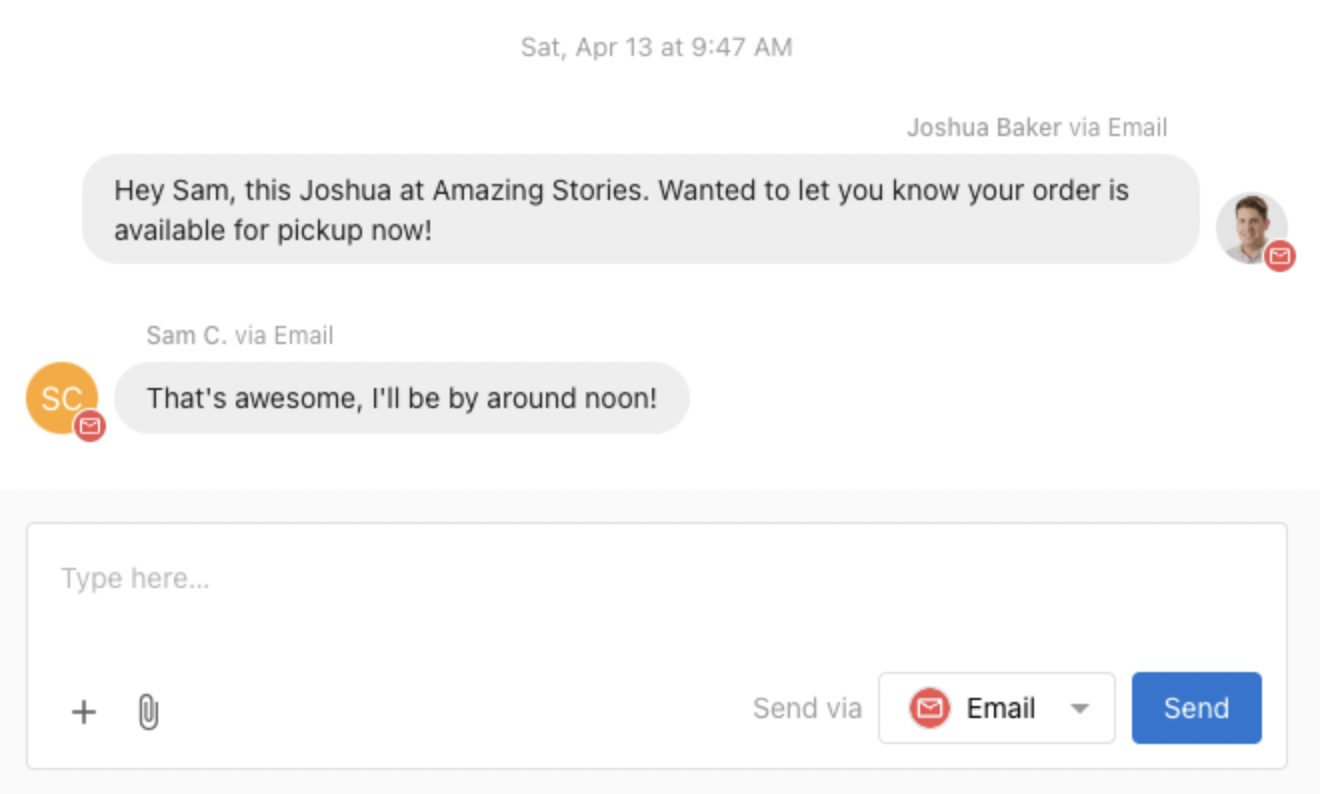
Features
- Send emails to contacts using your assigned email address.
- Receive email replies back into a team-shared inbox — anyone on your team can continue the conversation.
- Set up email forwarding to receive emails sent to your own business email address.
- AI auto-response support for instant 24/7 customer support via email.
How Email Works
Sender Address
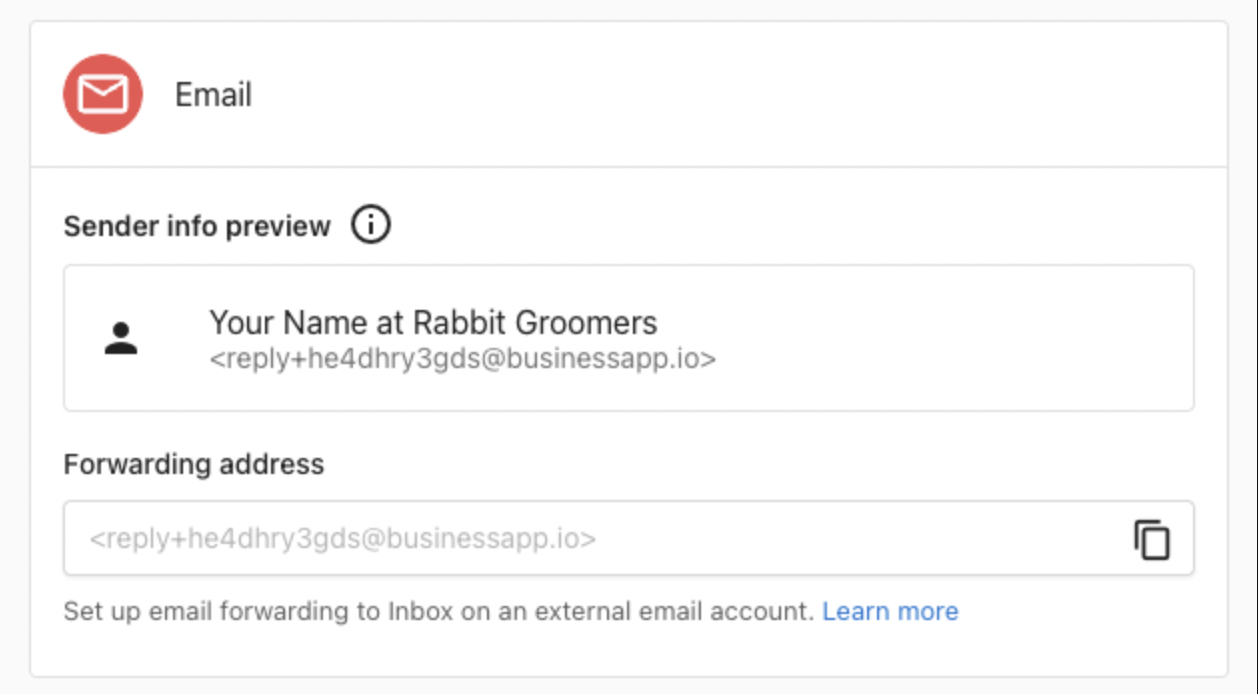
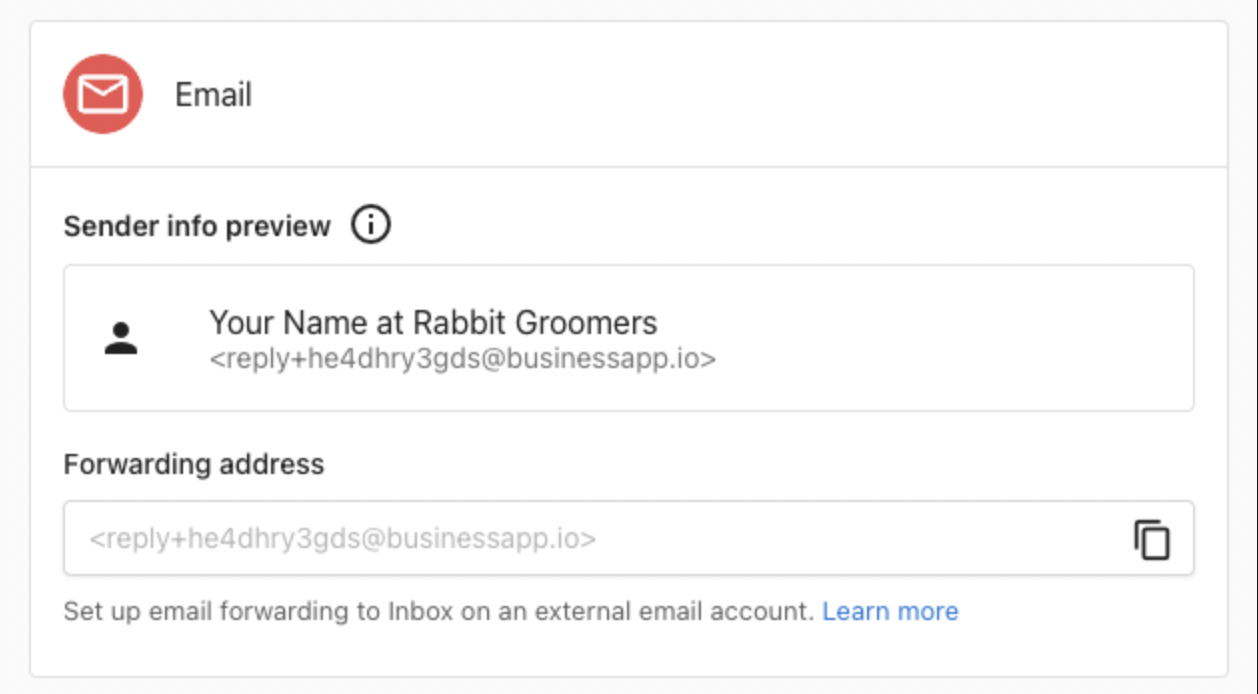
Conversations uses a shared email address to keep all customer conversations in one place. When you send a message, it appears to come from your business's assigned email (like reply+xxxxx@businessapp.io), but the sender's name and signature are visible to the customer.
Reply-to Routing
When a customer replies to your email, their response automatically lands back in the same Conversations thread — where any team member can continue the discussion.
Sending Emails
- Click New Message in Conversations.
- Enter the recipient's email address.
- Write your message, then select Email in the Send via dropdown.
- Click Send.
AI Auto-Response for Emails
The AI Receptionist can automatically respond to inbound emails — answering questions, capturing lead info, and booking appointments.
- Go to AI > AI Workforce in your dashboard.
- Configure your AI Chat Receptionist.
- In the Communication Channels section, enable the Email channel.
Forward Emails from Another Address into Conversations
Set up forwarding so emails sent to your business email (e.g., team@yourcompany.com) also appear in Conversations for your team to respond to.
From Gmail
- In Gmail, go to Settings > See all settings > Forwarding and POP/IMAP.
- Click Add a forwarding address and paste in your unique Conversations email address (found in Conversations Settings).
- Click Next, confirm the request in the Conversations email that arrives.
- Return to Gmail Forwarding settings, enable forwarding, and save.
From Outlook
- In Outlook, go to Settings > Mail > Forwarding.
- Select Enable forwarding, enter your Conversations forwarding email address, and click Save.
Frequently Asked Questions
reply+xxxxxxxxxxx@businessapp.io. The sender's name and signature are visible to the customer.Facebook Messenger
Connect your Facebook Business Page to manage Facebook messages alongside all other customer communications in one place. Available globally at no additional cost.
What You'll Need
- A Facebook Business Page (not a personal profile).
- Admin access to your Facebook Business Page.
- Facebook Messenger enabled on your page.
How to Connect Facebook
- Open Conversations, click More, then select Conversation Settings.
- Scroll down to the Facebook Messenger section and click Sign in with Facebook.
- Sign in with the Facebook account that has admin access to your Business Page.
- Review and grant the requested permissions — make sure to grant access to All Pages linked to your account.
- Select the Business Page you want to connect and click Connect.
- Back in Conversation Settings, click Turn on Messaging to enable Facebook Messenger messages.
Sending Facebook Messages
- Open Conversations and click Send a Message.
- Enter the customer's name or select from existing conversations.
- Type your message and select Facebook Messenger in the Send via dropdown.
- Click Send.
Frequently Asked Questions
Instagram Messenger
Connect your Instagram Business account to manage Instagram direct messages alongside all other customer communications. Available globally at no additional cost.
What You'll Need
- A professional Instagram account (Business or Creator — not a personal account).
- Your Instagram account must be connected to a Facebook Page.
- Admin access to the associated Facebook Page.
How to Connect Instagram
- Open Conversations, click More, then select Conversation Settings.
- Scroll down to the Instagram section and click Sign in with Instagram.
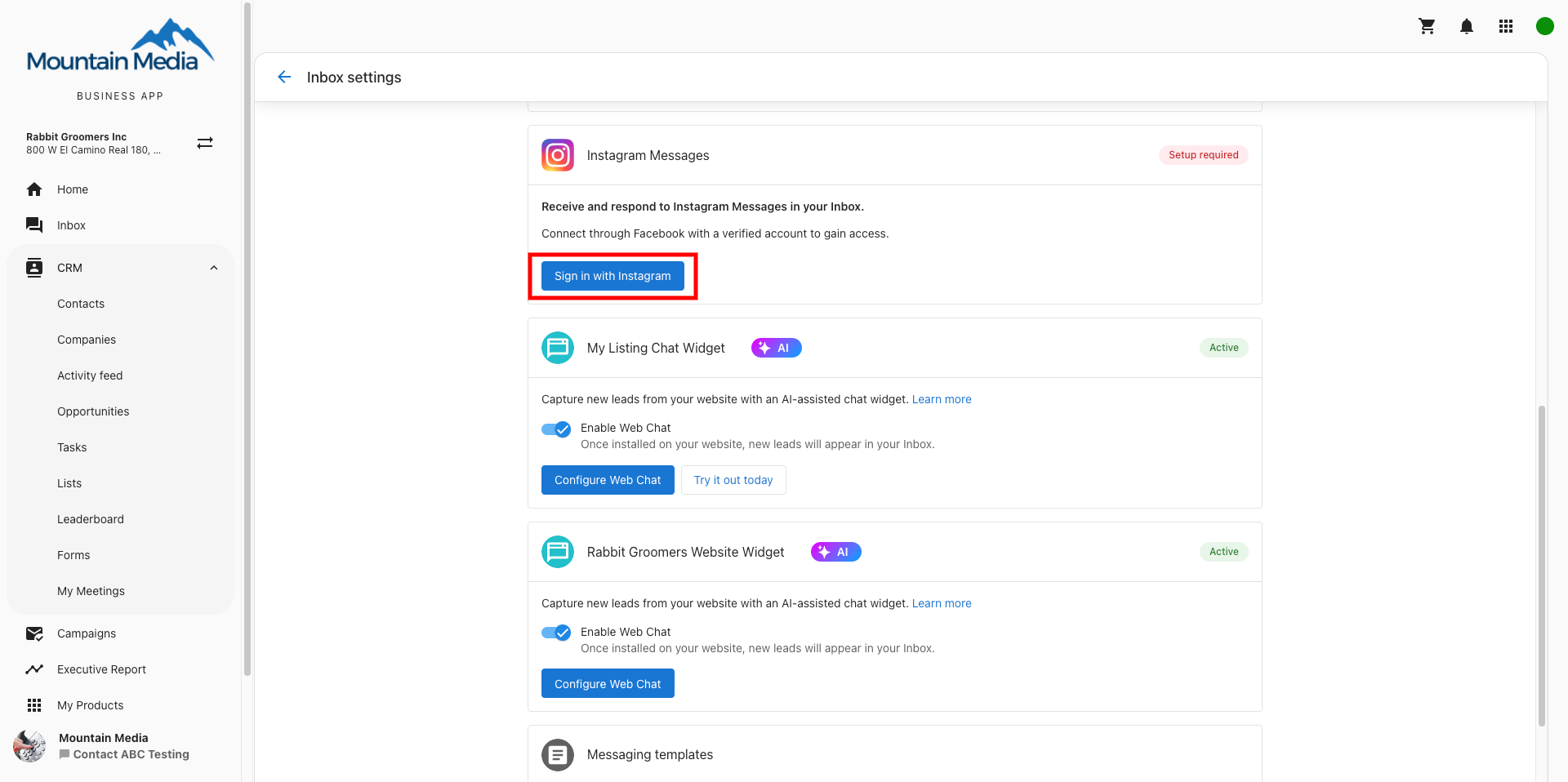
- You'll be redirected to Facebook's login page. Log in to Facebook and grant access to All Pages.
- Select the Instagram account you want to connect from the list.
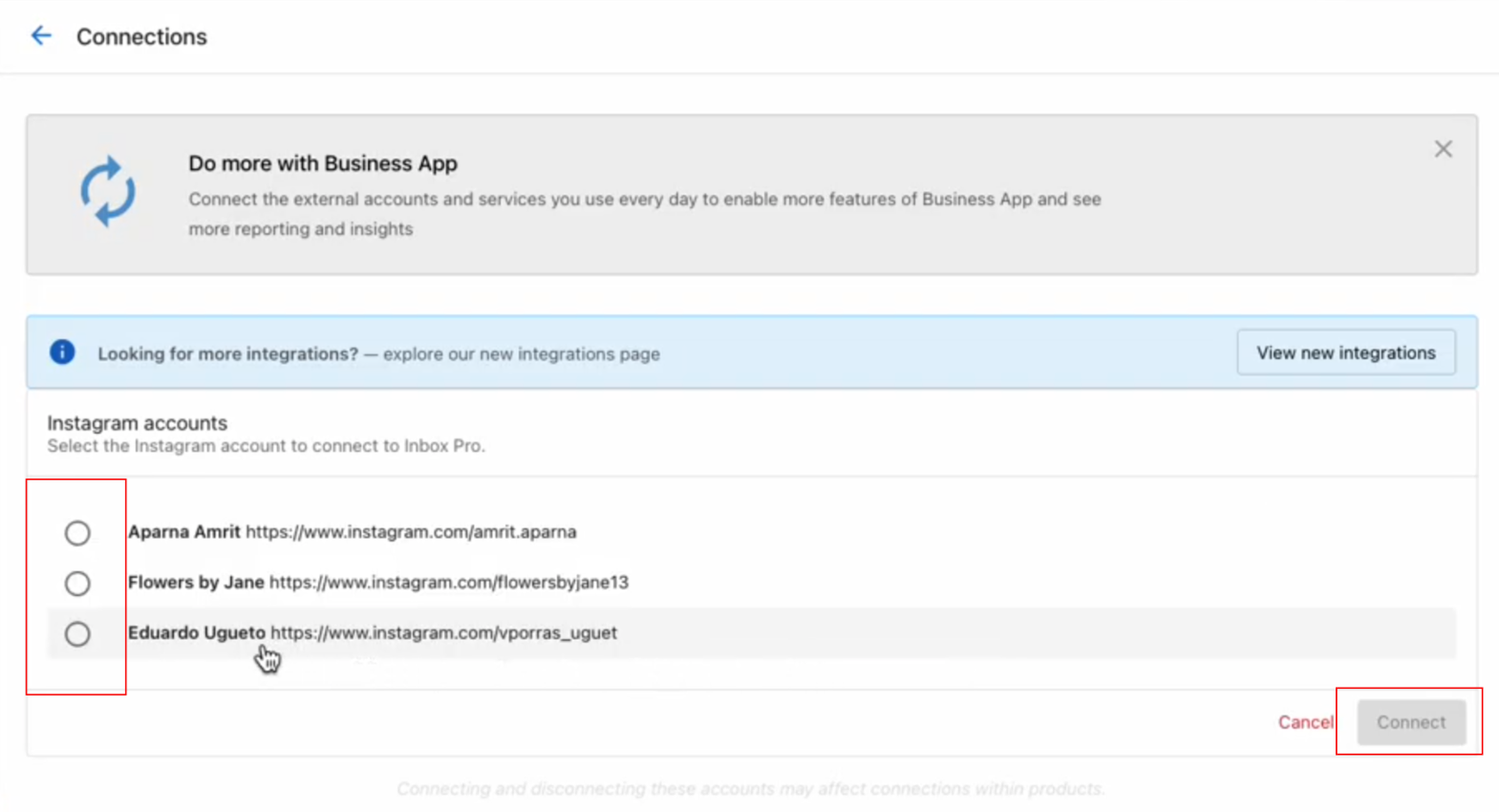
- Click Connect to confirm.
- Back in Conversation Settings, click Turn on Messaging to enable Instagram messages.
Sending Instagram Messages
- Open Conversations and click Send a Message.
- Enter the customer's Instagram username or select from existing conversations.
- Type your message and select Instagram in the Send via dropdown.
- Click Send.

Frequently Asked Questions
SMS in Conversations
SMS messaging is available for businesses in the US and Canada. Each business is assigned a local phone number for two-way SMS and MMS communication. SMS is included in Conversations AI Pro, or can be purchased as a standalone product.
Registration & Setup
United States Businesses
US-based businesses must complete A2P 10DLC registration before sending SMS. This includes updating your website to meet carrier compliance requirements. Registration typically takes a few weeks. Once approved, you'll receive a notification and can send your first message.
Canada Businesses
Canadian businesses can use SMS immediately — no registration required.
Sending SMS Messages
- Open Conversations Messages.
- Click the Send a Message button.
- Enter the customer's phone number (auto-formatted to +1 (555) 555-5555).
- Type your message and send.
Frequently Asked Questions
Phone Calls
You can use Conversations to handle incoming phone calls with your assigned Conversations phone number. Features depend on your plan.
Features by Plan
| Feature | Pro | Premium |
|---|---|---|
| Dedicated Conversations phone number | ✓ | ✓ |
| Call forwarding from main business line | ✓ | ✓ |
| Missed-call text back & SMS automation | ✓ | ✓ |
| Call recordings, transcripts & summaries in CRM | — | ✓ |
| AI Voice Receptionist answers calls 24/7 | — | ✓ |
Call Receiving Settings
Go to Administration > Conversation Settings > Phone & SMS > Configure. In the When a call is received... dropdown, choose one of these options:
- End call: Disconnects automatically. Optionally plays a custom text-to-speech message before ending.
- Forward the call: Forwards to another phone number. Set up SMS follow-up either immediately or only if the forwarded call is missed.
- Answer with AI (Premium only): The AI Voice Receptionist answers and engages with the caller.
AI Voice Receptionist (Premium Only)
- Go to AI Workforce > AI Voice Receptionist > Configure.
- Check "Phone call: Answer with Voice AI" and save.
- Customize your AI greeting, voice, and business knowledge.
- Test by calling your Conversations number.
Once active, all phone conversations appear in your Conversations dashboard, call recordings and transcripts are generated automatically, and lead info is saved to your CRM.
Call Forwarding from Your Main Business Number
To have your existing business number routed through Conversations (and answered by AI on Premium), set up call forwarding from your main line to your Conversations number.
Most carriers (AT&T, T-Mobile, Rogers, Bell, Telus, etc.) support star-codes to enable forwarding. Go to Settings > Conversations Settings > Phone & SMS > Configure and check the call forwarding help section — it shows activation and cancel codes specific to your carrier, plus step-by-step guidance.
#004# to reset.Frequently Asked Questions
WhatsApp for Conversations
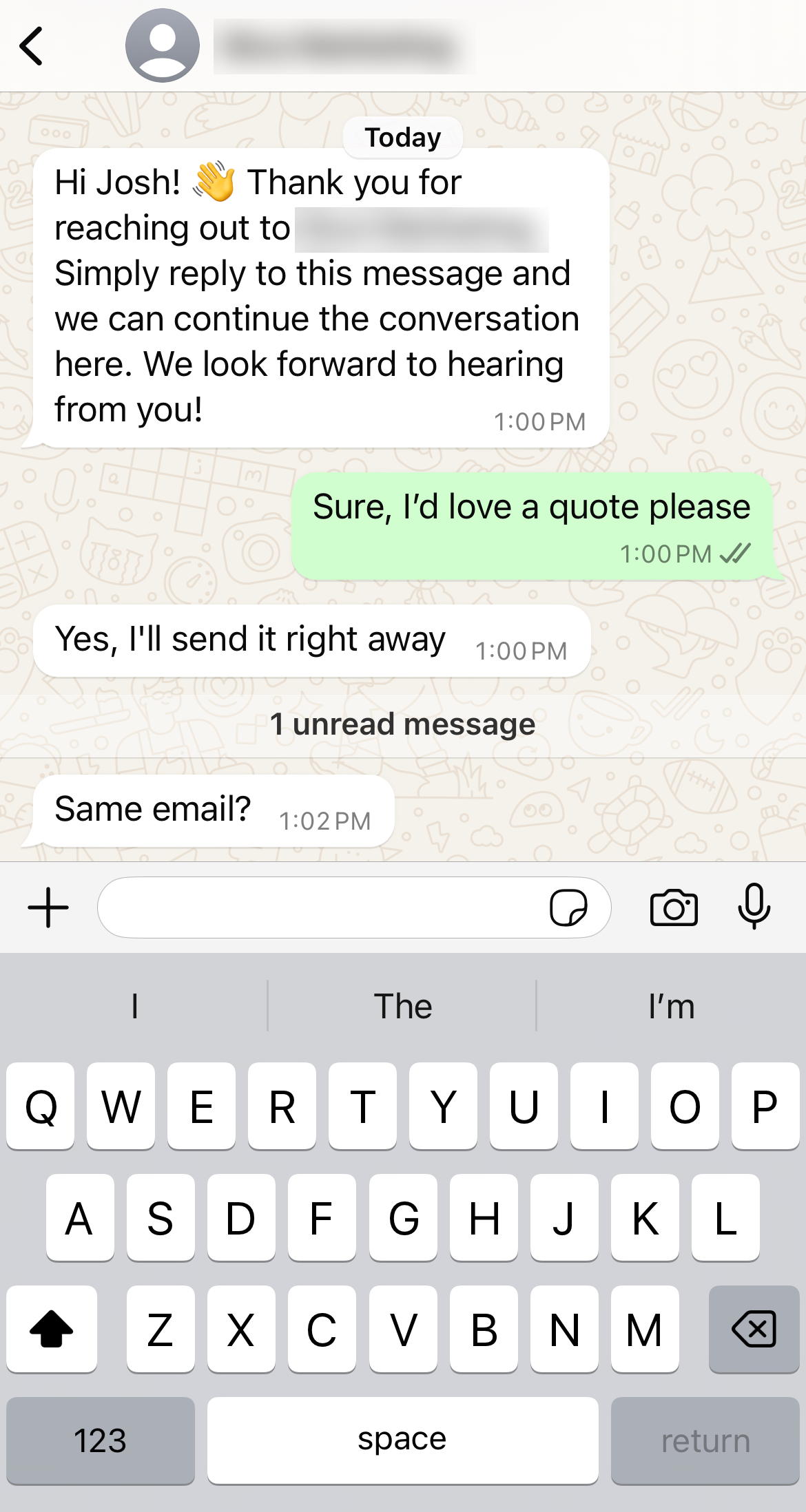
Connect your WhatsApp Business account to Conversations to send and receive WhatsApp messages from your centralized inbox. Available internationally for accounts with Conversations AI Pro or AI-assisted Web Chat.
What's Included
- Direct send and receive of WhatsApp messages from Conversations.
- WhatsApp message templates for outbound messaging.
- 250 outbound conversations per month (1,000 once verified by Meta).
- Unlimited incoming messages.
How to Connect WhatsApp
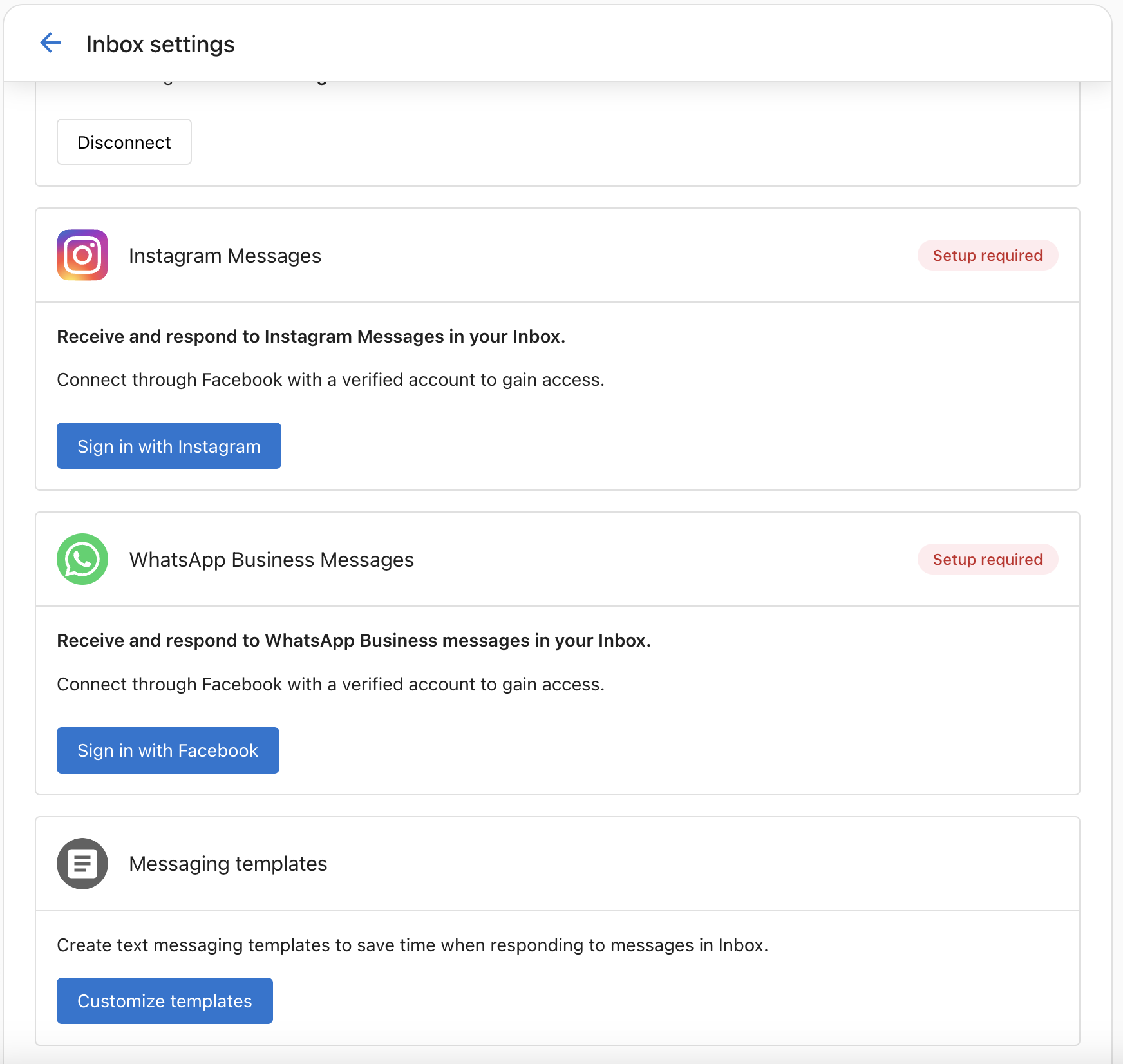
- Go to Administration > Conversations Settings. Find the WhatsApp Business Messages card and click Sign in with Facebook.
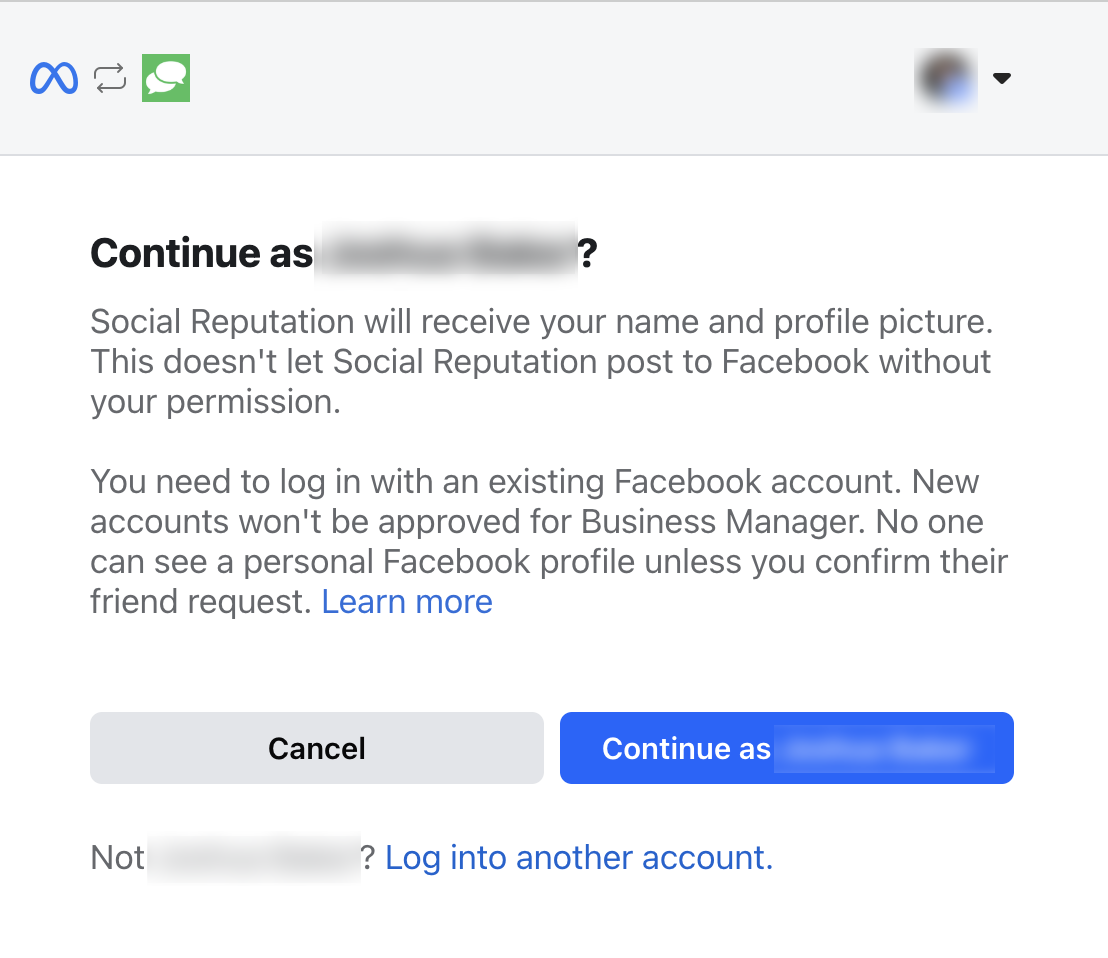
- A modal will appear — sign in with your Facebook account and click Continue as [Your Name].
- Click Get Started to connect your business account.
- Get your phone number from Settings > Conversations Settings > Phone & SMS > Configure. Note it down — you'll need it for verification.
- Temporarily enable Forward the call in Conversations Settings to receive the verification call.
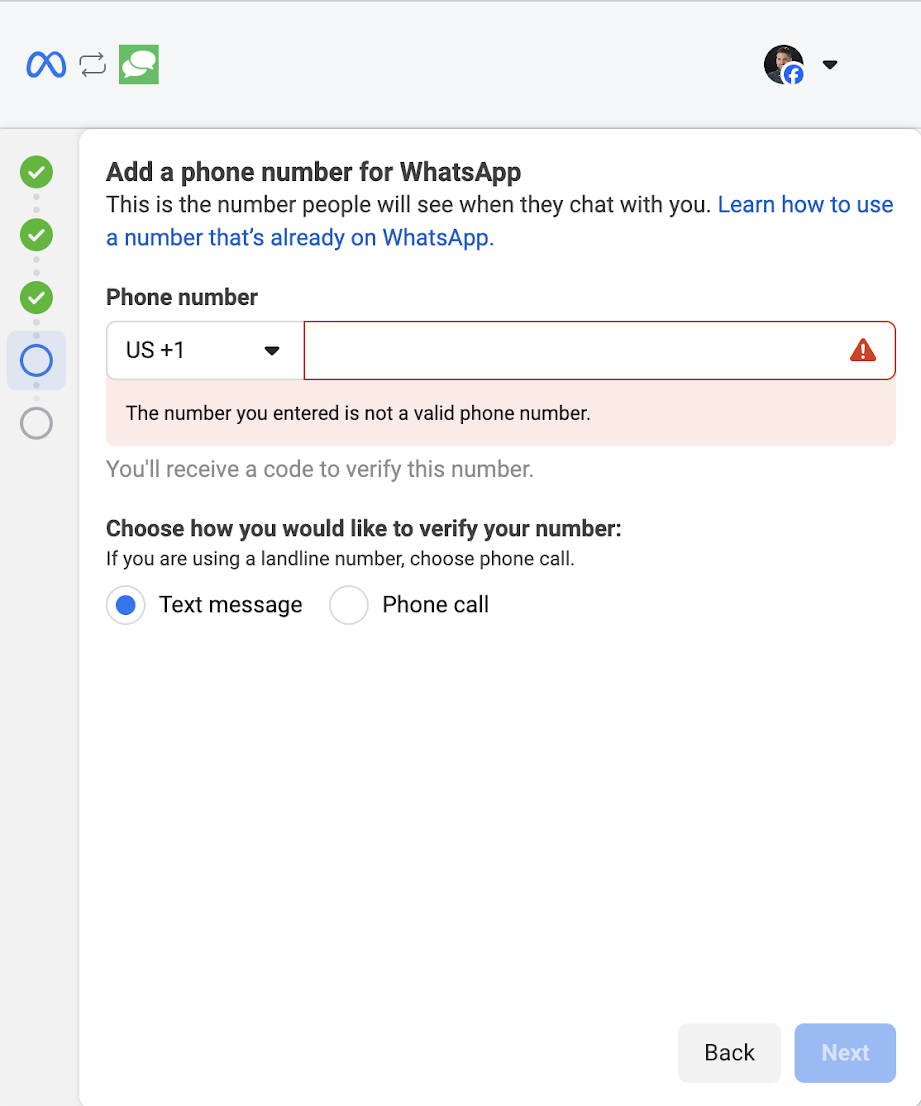
- Return to the WhatsApp setup screen, enter your Conversations number, and select Phone Call as the verification method. Enter the code from the call.
- After verification, disable call forwarding or restore your original settings.
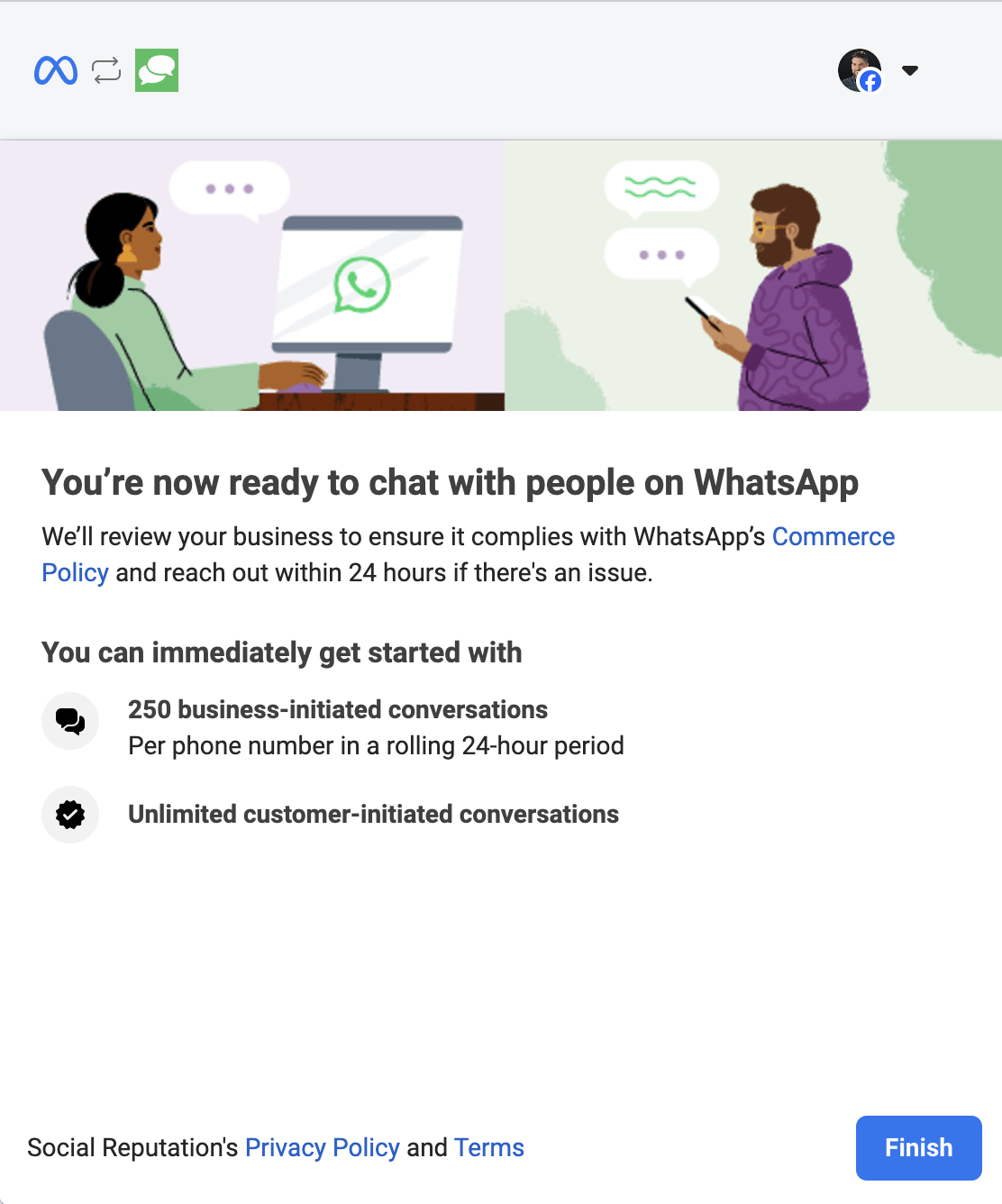
- Confirm the connection on the final screen and wait for verification to complete.
Sending WhatsApp Messages
Your messaging options depend on your conversation history with the customer:
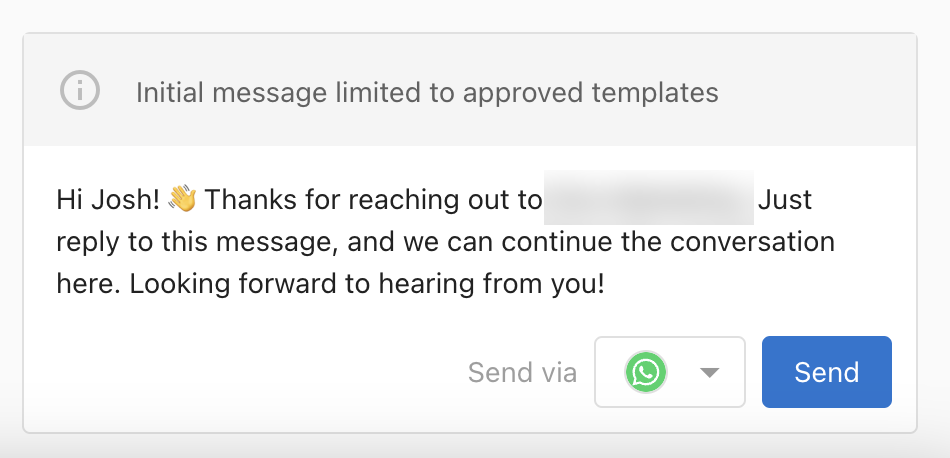
- Customer messaged you first: You can write any message that meets WhatsApp guidelines, within a 24-hour window.
- You're messaging first (cold outreach): You must use an approved WhatsApp template. If your account has no templates yet, the system will automatically submit one for approval on your behalf.
Messaging Limits
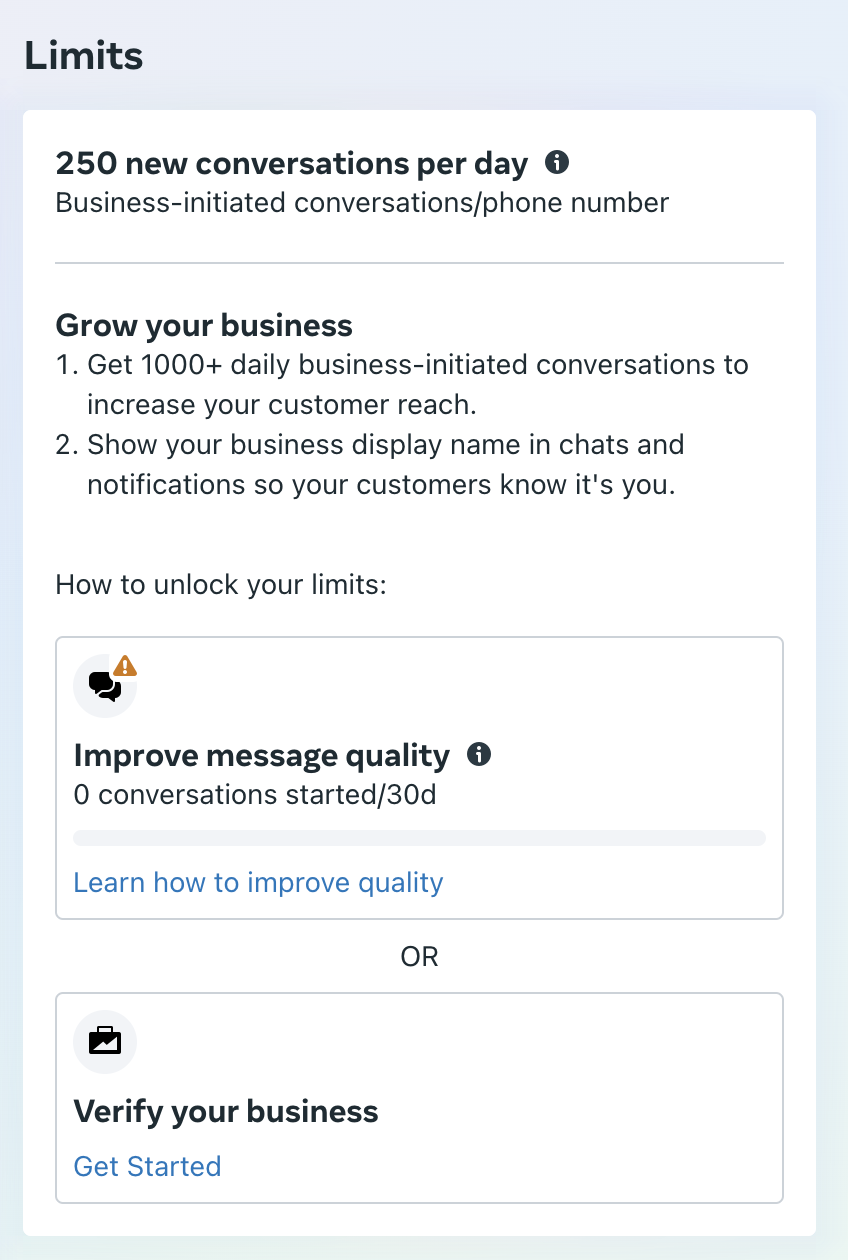
- Unverified businesses: 250 business-initiated conversations per day.
- Verified businesses: Up to 1,000 conversations daily plus additional features.
To apply for verification and increase your limit, visit Meta's WhatsApp Manager.
Frequently Asked Questions
Managing Conversations
Keep your inbox organized and your team on the same page with these tips for starting, managing, and closing conversations.
Starting a Conversation
Open Conversations, then select New message or search for a previous one.

If creating a new message and the contact hasn't been messaged before (or isn't in the CRM yet), create a new contact and start messaging.

Using Message Templates
When engaging in conversations or starting a new one, you can select a template to spark the conversation. Create templates in Conversation Settings > Messaging Templates.

Templates will then be available to select when composing a message.

Staying Organized
Close a Conversation
Click the 3 dots at the top of the conversation to close it once it's resolved. This removes it from your active inbox.

Reopen Closed Conversations
Use the filter at the top of your Conversations inbox to switch between open and closed conversations. You can refer back to any past conversation at any time.

The Meta 7-Day Window (Facebook & Instagram)
Facebook and Instagram only allow businesses to reply to users within a 7-day window from the last customer message. After 7 days the conversation is considered expired and the business cannot reply unless the customer sends a new message first.
When you see this message, you can:
- Click Close Conversation so it no longer clutters your inbox.
- Search for the customer and create a new conversation via a different channel (e.g., SMS or email) if their contact info is in your CRM.